

Effective planning and collaboration are essential to maintain productivity and ensure smooth operations. Many organizations rely on SAP, a powerful enterprise resource planning (ERP) tool, for data management, industrial planning, and workflow coordination. However, making this data accessible and interpretable for broader teams often presents a challenge.
This is where iObeya, a visual management platform, comes into play. By integrating SAP with iObeya , companies can transform complex data into a shareable, visual format that supports real-time collaboration and efficient decision-making. This article explores how integrating SAP with iObeya can streamline planning generation, reduce error rates, and enhance team alignment.
Common SAP Challenges Before Visual Integration
Before integrating SAP with iObeya, organizations faced several common challenges:
Limited Visibility
SAP data is often complex and not immediately accessible to all stakeholders, especially those unfamiliar with ERP systems.
Fragmented Collaboration
Teams involved in planning activities often relied on separate platforms, making it difficult to synchronize information and ensure everyone had access to up-to-date plans.
Time-Consuming Processes
Without a unified visual interface, managers spent excessive time gathering and interpreting data to create planning overviews, delaying decision-making and potentially impacting productivity.
These challenges often resulted in inefficiencies, increased error rates, and communication gaps among teams.


Transforming Planning Workflows with SAP-iObeya Integration
Integrating SAP with iObeya offers a smooth solution that addresses these challenges directly. By implementing a custom workflow that transforms SAP data into visually accessible plans, the integration enables faster, more effective planning. Here’s a breakdown of how it works:
1. Data Extraction and Transformation
SAP extracts data into a pivot file in Excel, which is then processed with a macro for easier interpretation. This step ensures that data is prepared in a way that is both actionable and accessible.
2. Data Integration with iObeya:
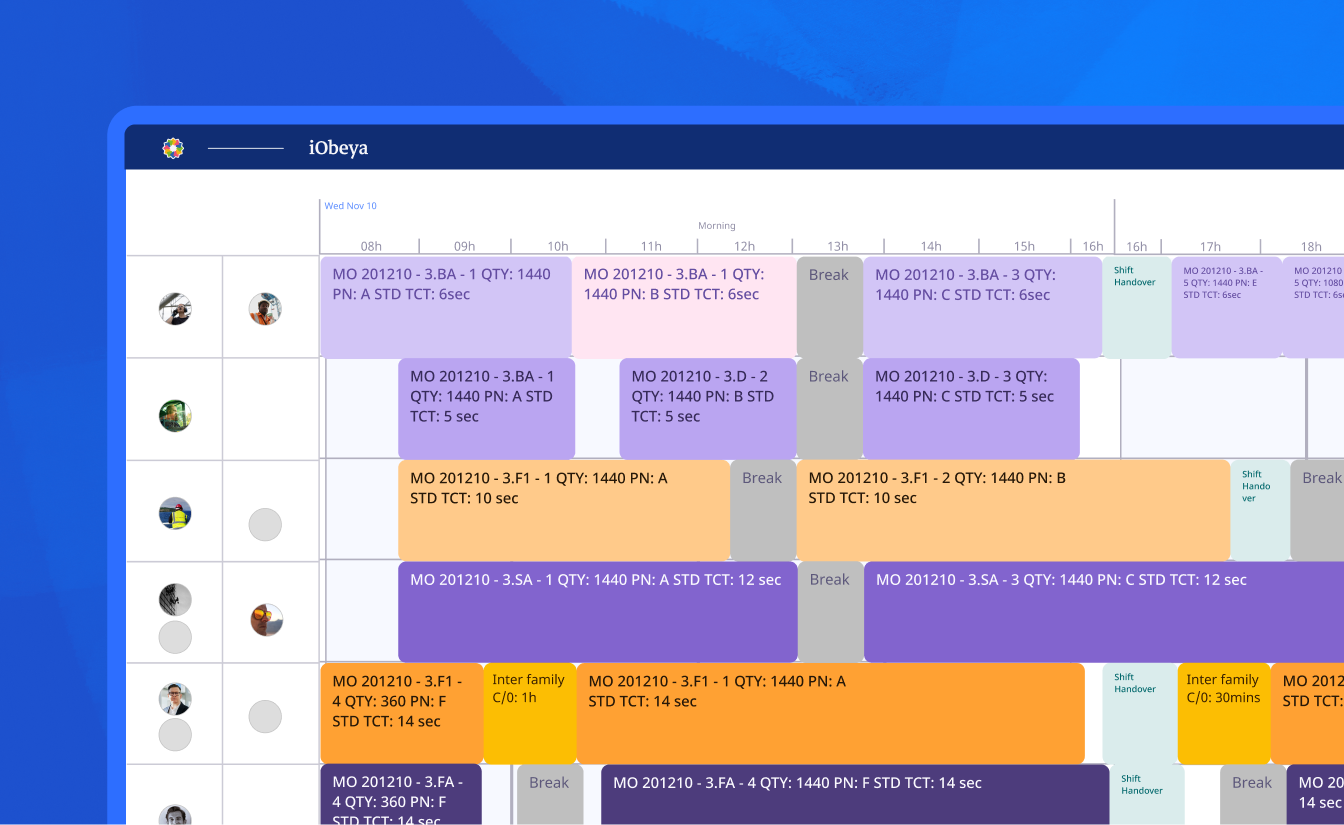
Through a tailored integration process, the prepared data is imported into iObeya, where it’s presented visually on customizable boards. This transformation enables teams to see the entire plan immediately, facilitating quick, informed decision-making.
3. Synchronized Visual Planning
iObeya’s visual management platform makes the planning process more intuitive and shareable across all actors, who can access the same data without needing deep expertise in SAP.

Key Benefits of Integrating SAP with iObeya
Integrating SAP with iObeya provides measurable improvements in operational efficiency. Organizations save time on planning generation, reduce human errors through real-time synchronization, and make SAP data more accessible thanks to visual management. Teams collaborate more effectively with shared planning boards , while managers benefit from quicker decision-making. The rapid implementation timeline ensures a fast return on investment.
| Benefit | Description | Impact |
|---|---|---|
| Time Savings for Managers | Planning generation now takes only 5 seconds, significantly reducing manual effort. | Frees up managers’ time for other tasks. |
| Up-to-Date, Error-Free Information | Integration ensures real-time, accurate data synchronization from SAP to iObeya. | Minimizes errors, improves data reliability. |
| Improved Data Accessibility | iObeya translates complex SAP data into visual, intuitive formats that are easily understandable. | Empowers all team members to interpret data effectively, regardless of technical expertise. |
| Enhanced Team Collaboration | A 15-minute daily sync meeting with access to the same visual data ensures alignment across all stakeholders. | Reduces miscommunication and boosts team motivation. |
| Visual Translation of Data | Data from SAP is presented visually in iObeya, enabling teams to quickly grasp important information. | Speeds up decision-making and reduces oversight. |
| Quick Implementation Timeline | Integration completed in under two weeks, allowing teams to benefit from improvements almost immediately. | Faster return on investment and minimal disruption to operations. |
The integration also aligns with Lean methodology principles by eliminating wasteful steps, standardizing workflows, and improving the flow of information. By transforming complex SAP data into visual iObeya boards, teams can identify bottlenecks more quickly, reduce manual rework, and focus their time on value-added activities such as problem-solving , innovation, and continuous improvement. This Lean-driven approach not only boosts operational efficiency but also supports long-term scalability and sustainable performance.
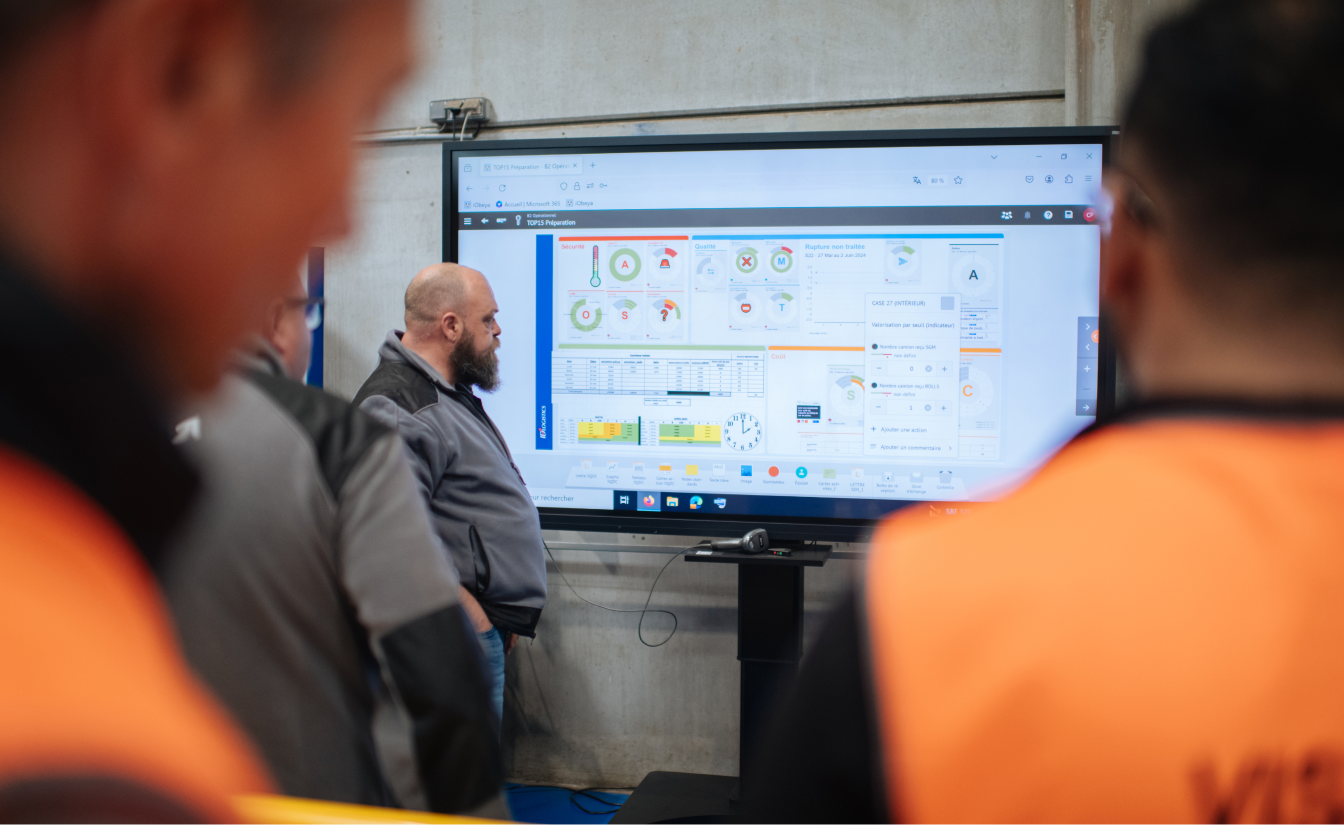
Key Stakeholders and Steps to Achieve Integration
The success of the SAP-iObeya integration relied on close collaboration between multiple teams, each bringing complementary expertise:
● Lean & Method Global Team
Oversaw overall performance improvement and ensured alignment with the global Fit4Future program , an initiative focused on operational excellence and digital transformation.
● Lean & Method Site Team
Defined the functional specifications , designed the board structure, and managed digitalization activities . They also led testing phases and collected field feedback to validate the solution in real-world conditions.
● Management, Supply & Quality Teams
Actively participated in pilot testing , offering practical insights from daily operations to refine the integration and guarantee its usability on the shop floor.
Thanks to this coordinated effort, the implementation was completed in under two weeks , demonstrating iObeya’s adaptability and its ability to support organizations with rapid, high-impact transformations.
Integrating SAP with iObeya has proven to be a game-changer for planning generation, transforming how data is accessed, shared, and utilized. This integration streamlines planning processes, reduces the time required for data interpretation, and enhances collaboration across teams, ultimately contributing to improved operational efficiency.
To learn more about iObeya’s integration capabilities and discover how it can enhance your organization’s planning processes, visit integration page or reach out to us at contact .
FAQ: SAP and iObeya Integration
iObeya integrates with SAP by extracting planning data, transforming it into an Excel pivot file, and importing it into visual boards. This process makes SAP information accessible in real time through intuitive dashboards.
What are the benefits of integrating SAP with iObeya?The integration reduces planning time to just seconds, minimizes errors, and ensures all teams work with the same up-to-date information. It also improves collaboration by translating complex SAP data into clear visual workflows.
How long does it take to implement SAP-iObeya integration?Implementation is completed in less than two weeks. Teams can start benefiting from faster decision-making and improved operational efficiency almost immediately.
Who can benefit from SAP-iObeya integration?Any organization using SAP for planning, supply chain, or workflow management can benefit. iObeya makes ERP data more accessible to managers, operators, and cross-functional teams.